
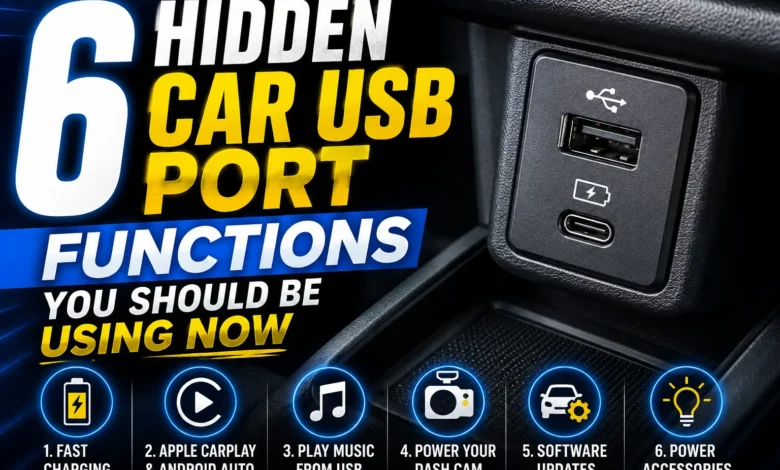
Picture this: You’re road-tripping through the breathtaking canyons of Utah, your favorite playlist is blasting, and suddenly, your phone battery drops to 1%. You instinctively look at your dashboard. We all know that little slot is there, but are you actually maximizing it, or just scratching the surface? Believe it or not, unlocking those hidden car USB port functions can completely change your daily commute, turning that boring dashboard socket into a high-tech powerhouse.
While car salesmen love to brag about panoramic sunroofs or leather heated seats, understanding your automotive USB port capabilities is easily the most underrated hack for your vehicle. It’s not just a slow plug for old devices anymore; it’s a direct data highway for in-car tech upgrades and system diagnostics.
Table of Contents
1. Juicing Up Your Power-Hungry Devices with Hidden Car USB Port Functions
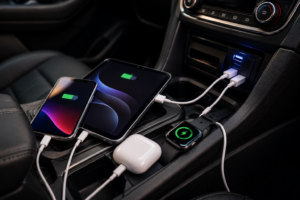
The most obvious feature is car dashboard USB charging, but here is the technical catch most American drivers miss. Older car models usually feature standard 1.0-amp ports, which barely keep a modern iPhone alive while using GPS maps. However, newer rigs push between 2.1 to 2.4 amps.
If your ride is lagging in juice, don’t play musical chairs with charging cables. You can safely expand your setup with a certified multi-port car charger hub from brands like Anker. Just make sure to keep a solid rotation of heavy-duty USB-C and Lightning cables in your glovebox so your passengers don’t feel left out.
2. Updating Your Ride’s Infotainment System Firmware via USB
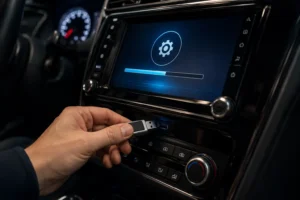
Your modern infotainment center is literally a rolling laptop. Over time, bugs show up, Bluetooth gets glitchy, and maps lag out. One of the best hidden car USB port functions is acting as a flashing tool to execute a DIY car firmware update.
Instead of getting ripped off by dealership service fees, you can visit your manufacturer’s official portal (like Ford OASIS or Toyota’s tech site), download the software on a clean FAT32/exFAT formatted USB flash drive for cars (at least 8GB), and plug it straight into the dash. Follow the prompts on the screen, and you are golden.
[Fact-Checking Note: Updated Tech Specs] Modern 2024-2026 vehicles might offer Over-The-Air (OTA) Wi-Fi updates, but manual USB flashing remains the gold standard for restoring bricked modules or handling heavy map data files safely.
💡 Pro Car Electronics Tip:
Never, under any circumstance, shut off the engine or yank the flash drive out during an active firmware flash. Doing so can permanently “brick” your head unit, turning a free DIY update into a $1,500 dealership nightmare.
3. Powering Your Dashcam Without Annoying Hardwiring Hacks
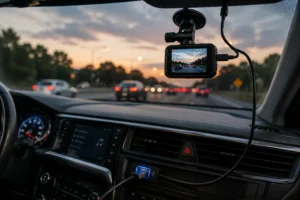
Given how wild American highways can get, installing a USB-powered dashcam is the smartest insurance policy you can buy. But nobody wants to spend hours pulling off interior plastic panels to tap into the vehicle’s fuse box.
Your dashcam runs perfectly on low voltage, meaning it can draw steady juice right from the dashboard USB slot. This is an excellent alternative to hardwiring, making it easy to remove the camera if you switch vehicles or need to take your car in for mechanical service.
4. Instantly Adding Cinematic LED Ambient Interior Lights

Want that high-end Mercedes-Benz or customized Tesla aesthetic without the luxury car price tag? Cheap car interior LED USB lights are your best friend. You can pick up a music-reactive kit on Amazon for under twenty bucks, mount it under the footwells, and plug it directly into the open port.
Aside from looking incredibly sleek, accent lighting serves a great safety purpose: it helps your rear passengers find dropped items or loose change at night without forcing you to turn on the blinding overhead dome lights while cruising down the highway.
5. Enjoying High-Fi Offline Car Audio Playback in Data Dead Zones
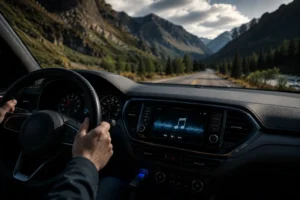
We’ve all been there: you’re driving through a remote national park or a rural highway stretch, and your cellular coverage drops to zero. Goodbye streaming apps, hello annoying static radio.
By utilizing a USB drive for car music from trusted brands like SanDisk or Samsung, your car’s built-in media player can decode MP3, AAC, or lossless FLAC files directly. This gives you flawless offline car audio playback quality with zero subscription fees or cellular data overages.
Car USB Port Specs & Use Cases
| USB Port Generation | Average Output | Best Use Case | Limitations |
|---|---|---|---|
| USB 2.0 (Older Models) | 0.5 – 1.0 Amps | Offline Music Thumb Drives | Incredibly slow charging |
| USB 3.0 / Smart Ports | 2.1 – 2.4 Amps | Dashcams, Fast Phone Charging | Wired data connection needed |
| USB-C (Modern 2024-2026) | 3.0+ Amps (PD) | Tablets, Laptops, Rapid Charging | Requires newer Type-C cables |
6. Securing Lag-Free Apple CarPlay & Android Auto via Wired Data Connection
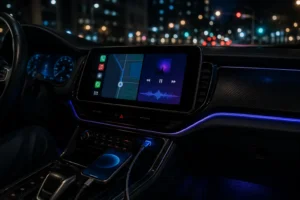
While wireless CarPlay and Android Auto sound super convenient on paper, they are notorious battery hogs and often suffer from annoying audio lag or sudden signal drops near busy city intersections.
Plugging your smartphone directly into the car infotainment USB slot fixes everything. The wired Apple CarPlay USB connection handles map rendering and audio streaming instantly while simultaneously juicing up your device. For zero drops, make sure you use an OEM high-quality cord rather than a cheap gas-station replacement cable.
The Verdict
Next time you slide into the cockpit of your vehicle, don’t look at that little dashboard hub as just a basic battery filler. Whether you are using it to bypass expensive dealer software updates, keeping your ride safe via a hidden dashcam link, or running crisp offline audio files, mastering these hidden car USB port functions is the ultimate way to level up your driving experience without spending a fortune.